
The column that ruins it later
Most form tools handle a repeating section by serialising it. The eleven lines become a blob of JSON, or a comma-separated string, dropped into one multi-line text column on the order. The form looks right and the submission saves, so the problem stays hidden for months.
It surfaces the first time someone asks a normal question. What did we spend on that supplier last quarter. Which cost centre is over. Show me every order containing this part number. None of those are answerable with a SharePoint view, a filter, or a Power BI report pointed at the list, because the data your question is about is inside a text field.
What a child list changes
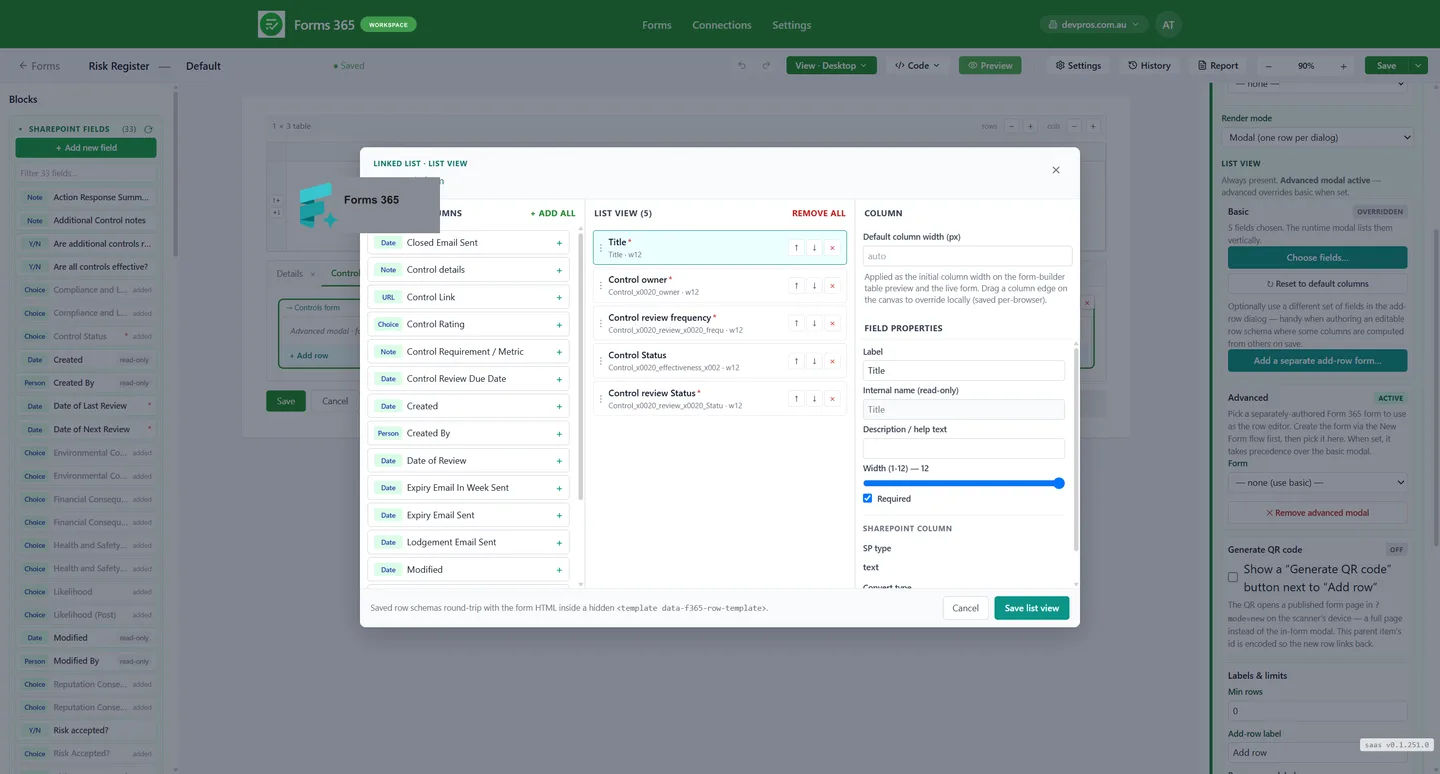
Forms365 Workspace handles repeating sections with linked lists, which write each row into an actual second SharePoint list with a lookup back to the parent order. Eleven lines means eleven items in Purchase Order Lines, each one pointing at the order that created it. The writes are batched when the form saves, so it is one action for the person filling it in.
Those child rows are ordinary list items, which is the whole point. They have columns with types. You can sort them, filter them, group them, index them, put a view over them, and point Power BI at them without anything in between.
Building the thing
The parent is a Purchase Orders list: requester as a person column, supplier as a lookup so nobody types "Acme Pty Ltd" four different ways, a date, a cost centre choice, and a currency column for the order total. The child is Purchase Order Lines, with a lookup to the order, a description, quantity, unit price, and a currency line total.
On the form, the line items sit in a linked list section bound to the child list. Quantity times unit price gives you the line total, and the lines add up into the order total on the parent, all through the calculation engine rather than a flow that runs afterwards. The person raising the order watches the number move as they type, which is the bit that stops mistakes reaching finance at all.
Validation earns its place here more than on most forms. Requiring a cost centre when the value goes over a threshold, or blocking a zero quantity, costs a couple of rules and saves a rejected order.
Getting it approved and out the door
Suppliers want a document, not a link to your intranet. Workspace generates a per-submission PDF report, so the order leaves as something a supplier can file rather than a URL they cannot open.
Approval is a Power Automate job rather than a feature of the form. The order lands as a list item, a flow picks it up from there, and the outcome is written back. There is no approval engine hiding in the form designer, and describing it any other way would be a nice way to disappoint you later.
One honest limitation
Linked lists are a Workspace capability, and Workspace is for authenticated people inside your tenant. That fits purchase orders, where the requester is staff. If you need a supplier with no Microsoft account to submit something back to you, that is a public form and a different shape of problem.
See it with your own lists.
Workspace installs into your tenant and binds to lists you already have, so you can build this against real data rather than a demo.
Try Forms365 Workspace freeRelated
The mechanics of repeating rows, if you are coming from InfoPath.
How line totals and order totals are worked out as the user types.
Turning the saved order into a document a supplier can file.
Inspections, service requests, risk assessments and public intake.