
SharePoint forms
your team will use.
Replace the default SharePoint list form with a no-code designer. Publish public forms for anyone outside your organisation. No Power Apps licence required.
Start free trial- 14-day free trial
- No credit card
- Data stays in your tenant
- Set up in under 20 minutes
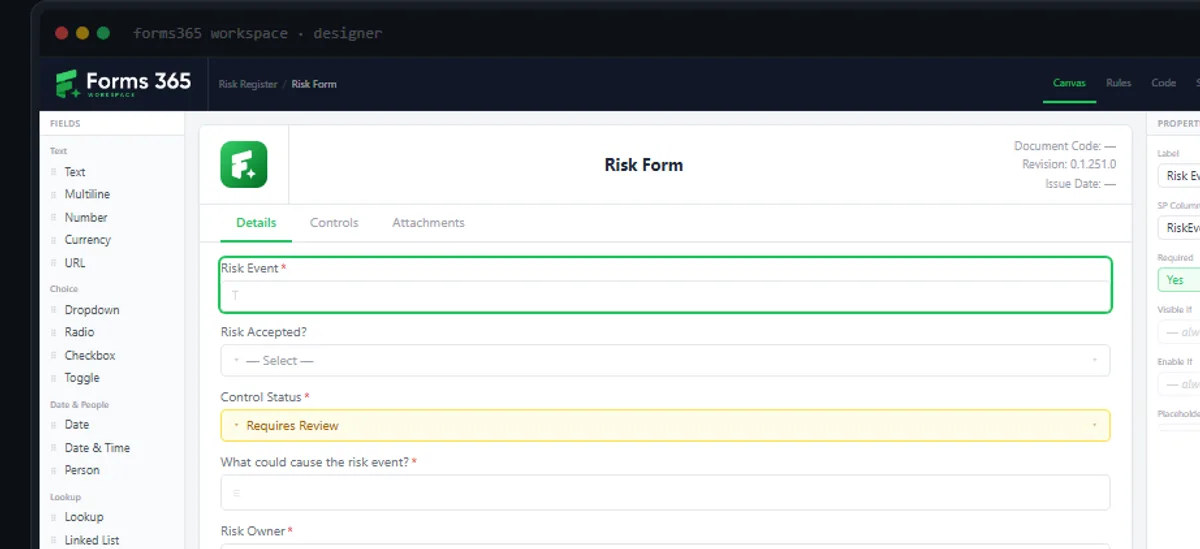
Default SharePoint forms are ugly
Single-column, no logic, no branding. Staff avoid them and fall back to email.
Power Apps is overkill
A separate licence, a Canvas app, and a developer. All to fix a list form.
External forms need a login
Customers and contractors cannot fill SharePoint forms without a Microsoft account.
Forms365 Workspace
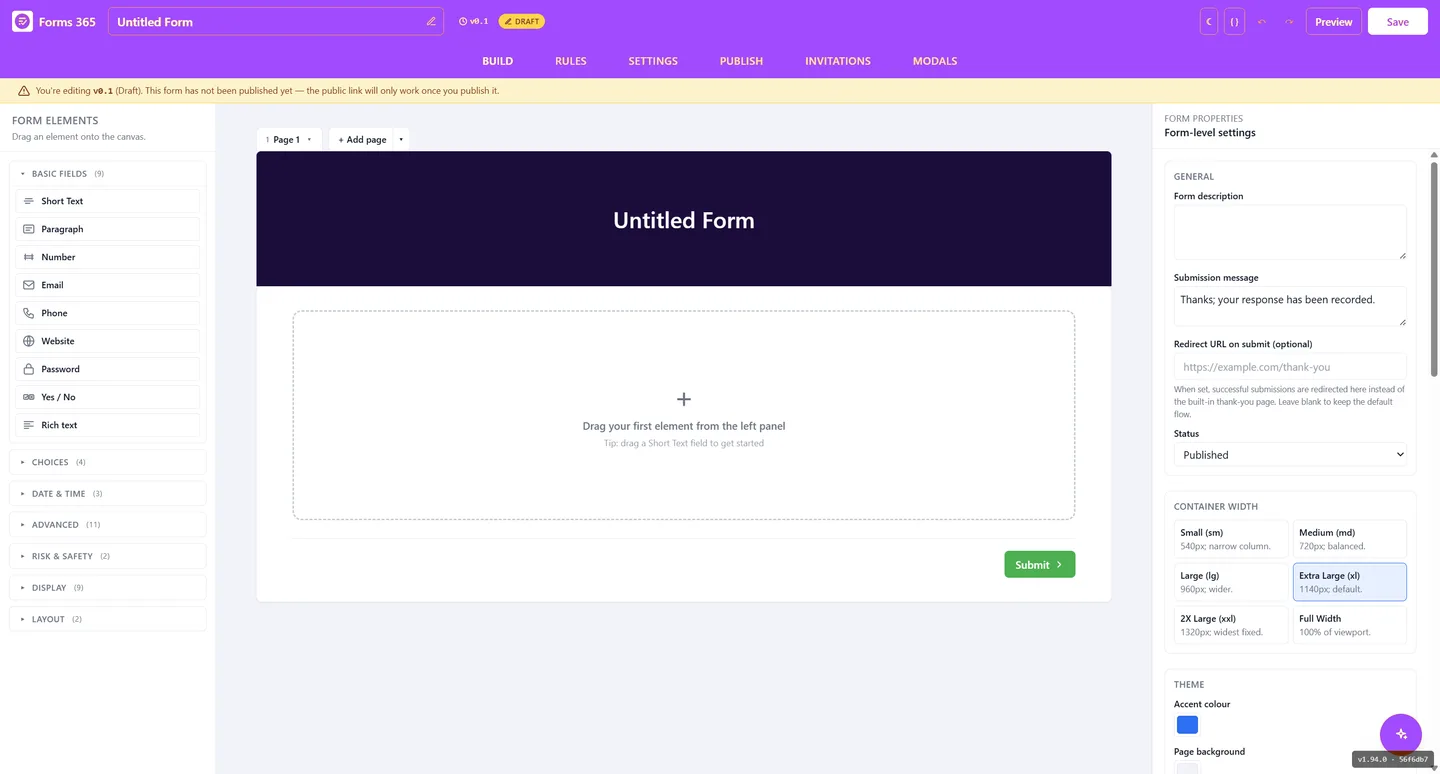
Replace the default SharePoint list form. Drag-and-drop designer, conditional logic, all common column types. Deployed inside your M365 tenant.
- ✓ No Power Apps licence needed
- ✓ Conditional logic without code
- ✓ AI form generation from list schema
- ✓ Data stays in your SharePoint
Forms365 Web
Publish forms to a public URL. No Microsoft account needed to fill in. Submissions route straight to SharePoint.
- ✓ Anyone can fill in, no login required
- ✓ Saves directly to SharePoint lists
- ✓ Power Automate, Make and Zapier
- ✓ White-label for agencies
See what you can build.
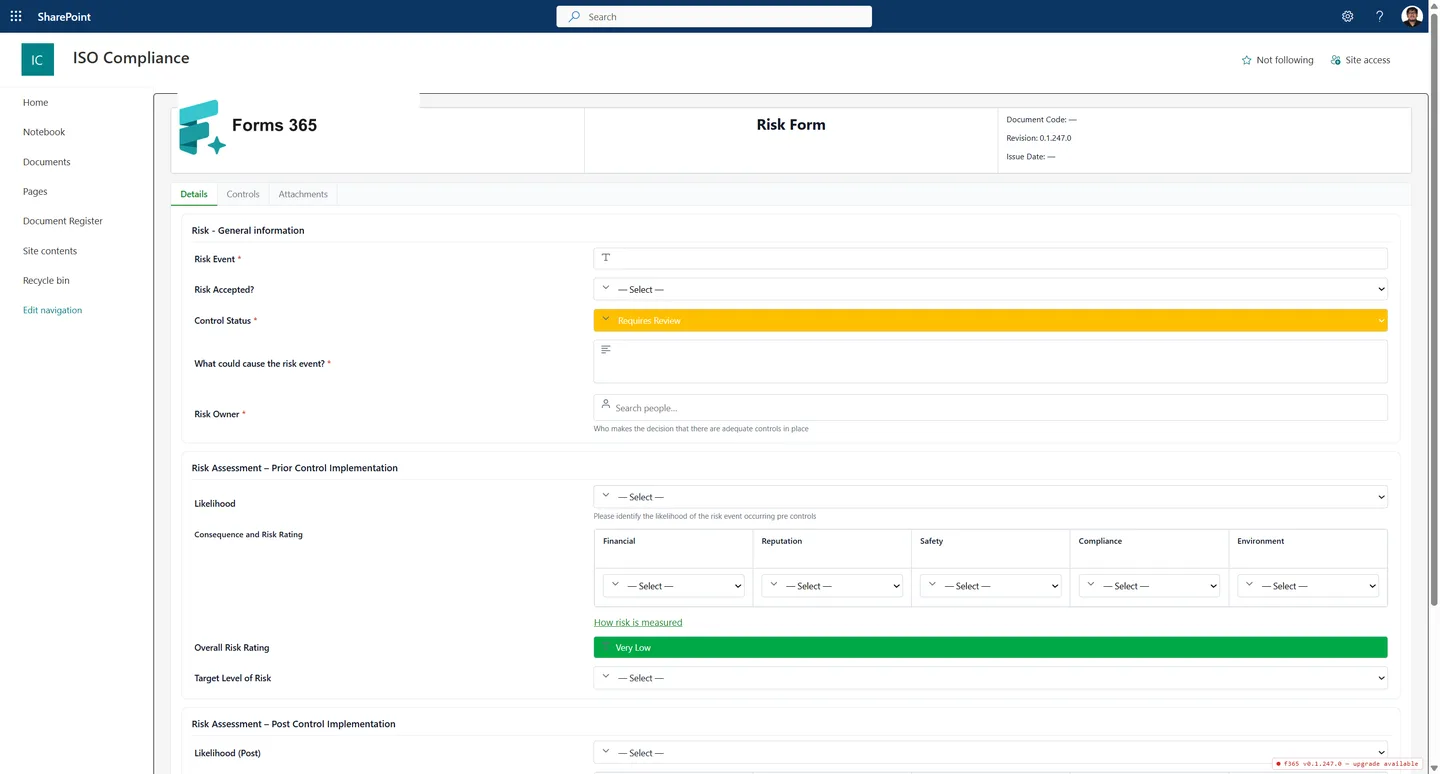
Certify, our ISO compliance product, is built entirely on Forms 365.
Real SharePoint forms: a risk register, audit summary, objectives tracker, and more. All designed with Forms365 Workspace and rendered natively inside SharePoint.
Simpler than Power Apps.
More capable than Microsoft Forms.
| Forms 365 | Power Apps | Microsoft Forms | Plumsail | |
|---|---|---|---|---|
| Replaces SharePoint list forms | Yes | Yes | No | Yes |
| No-code drag-and-drop designer | Yes | No | Yes | Yes |
| Public forms, no Microsoft login | Yes | No | No | Yes |
| Conditional logic without code | Yes | No | No | Yes |
| Power Apps licence required | No | Yes | No | No |
| AI-assisted form generation | Yes | No | No | No |
| Australian-built and supported | Yes | No | No | No |
Based on publicly available information as of 2026. Features may vary by plan. See full comparison
Questions we get asked
The answers people need before they decide.
What is Forms 365?
Forms 365 is an Australian-built form builder platform for Microsoft 365. Forms365 Workspace replaces the default SharePoint list form with a no-code drag-and-drop designer. Forms365 Web lets you publish forms to a public URL with no Microsoft account required. Both save submissions directly to SharePoint.
Do I need Power Apps to customise SharePoint list forms?
No. Forms365 Workspace is a direct alternative to Power Apps for SharePoint form customisation. No additional licence, no Canvas app knowledge, and no developer needed. It deploys as an SPFx solution inside your existing Microsoft 365 tenant.
Can external users fill in a form without a Microsoft account?
Yes, with Forms365 Web. You publish a URL that anyone can open in a browser. Submissions route into your SharePoint list or via Power Automate, Make, or Zapier. The respondent never needs a Microsoft 365 account.
Where does the form data go?
Directly into your SharePoint lists inside your Microsoft 365 tenant. DevPros does not store your business data on Forms 365 servers. Your data stays in your tenant, in your country, under your own Microsoft 365 governance policies.
Does Forms 365 work with Power Automate?
Yes. Forms365 Web integrates directly with Power Automate, Make, and Zapier. Forms365 Workspace saves to SharePoint list items, which natively trigger any Power Automate flow on that list.
How does Forms 365 compare to Plumsail?
Both offer a SharePoint form designer and a public web forms product. Forms 365 is built and supported in Australia, with data staying in your Microsoft 365 tenant. Plumsail is a global product without Australian-specific support or data residency commitments.
Can SharePoint forms be accessed without a Microsoft account?
Not natively. SharePoint list forms inherit the list permission model, so users must be authenticated to access them. Forms365 Web solves this by publishing a separate public URL that anyone can open in a browser and submit without a Microsoft account. Responses save directly to your SharePoint list.
What replaced InfoPath in SharePoint?
Microsoft retired InfoPath in 2026. The officially recommended replacements are Power Apps (for complex scenarios) and Microsoft Forms (for surveys). Neither replaces InfoPath fully: Power Apps requires a separate licence and developer knowledge, and Microsoft Forms does not write to SharePoint list columns. Forms365 Workspace is purpose-built to replace InfoPath for SharePoint list forms, with a no-code designer, conditional logic, and full column support.
How do I let external users fill in a SharePoint form?
SharePoint list forms cannot be shared externally without authentication. The standard Microsoft workaround is chaining Microsoft Forms with Power Automate to copy responses into a SharePoint list, which adds complexity and a dependency on two tools. Forms365 Web is a direct solution: publish a form to a public URL, and submissions go straight to SharePoint. No Power Automate flow required, and no Microsoft account needed for the respondent.
Start building better
SharePoint forms today.
14-day free trial. No credit card. Set up in under 20 minutes.
Built and supported in Australia · Data stays in your Microsoft 365 tenant · No Power Apps licence needed