Skip to content
Forms 365
Form examples

See what other forms look like
before you build your own.

The first five are real forms people use every day inside SharePoint. Below them are the forms teams ask about most, each with a guide that walks through building it.

Real forms, in use

From Certify, our ISO compliance product

Certify's forms are all built with Forms365 Workspace, and these screenshots are taken straight from SharePoint. Read how Certify was built.

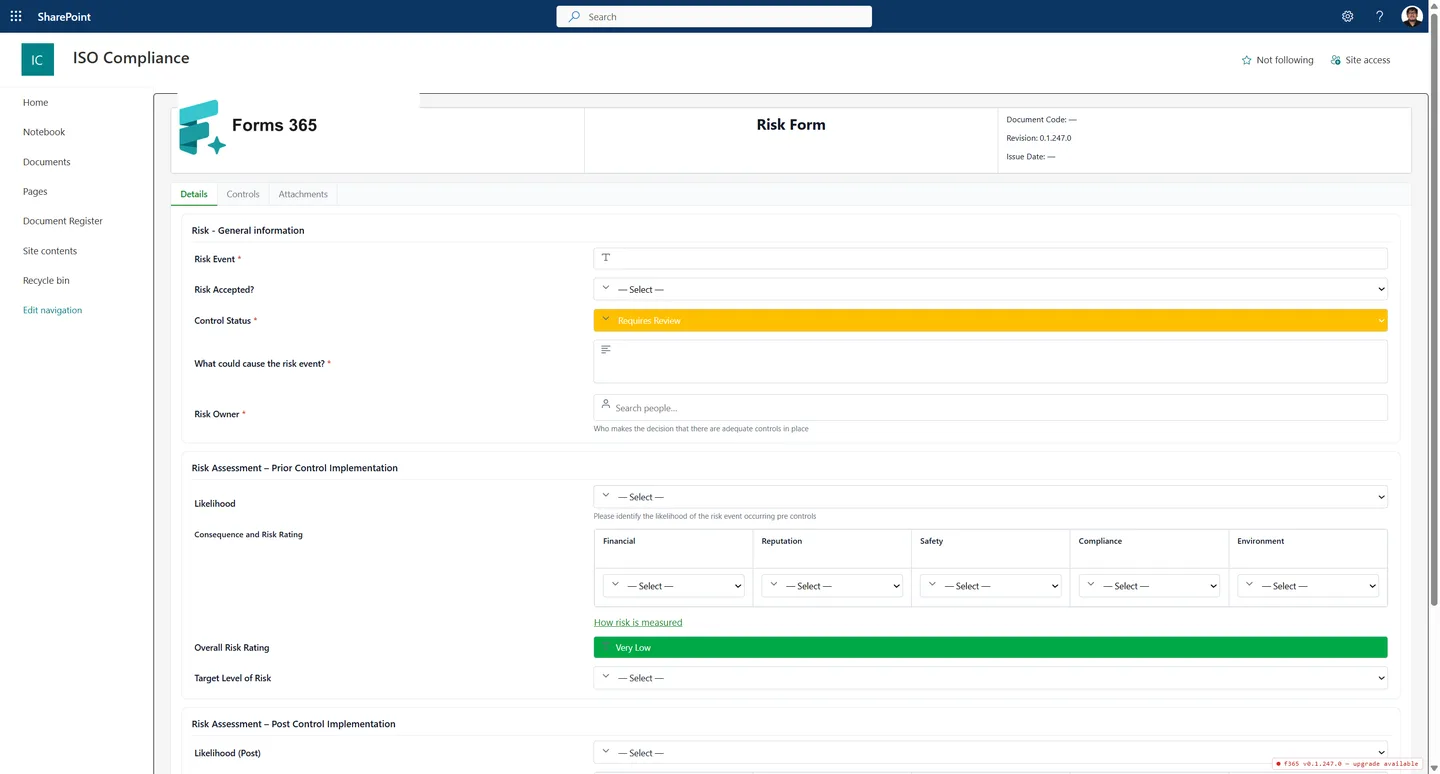
Certify risk form in SharePoint with tabs, a people picker and a colour-coded risk rating, built with Forms365 Workspace
Forms365 Workspace

Risk register

Each risk gets an owner, a cause, and a rating before and after controls. The controls themselves sit on their own tab.

What's in it

  • Details, Controls and Attachments tabs
  • Consequence ratings across five categories
  • Colour-coded status and overall rating
  • People picker for the risk owner
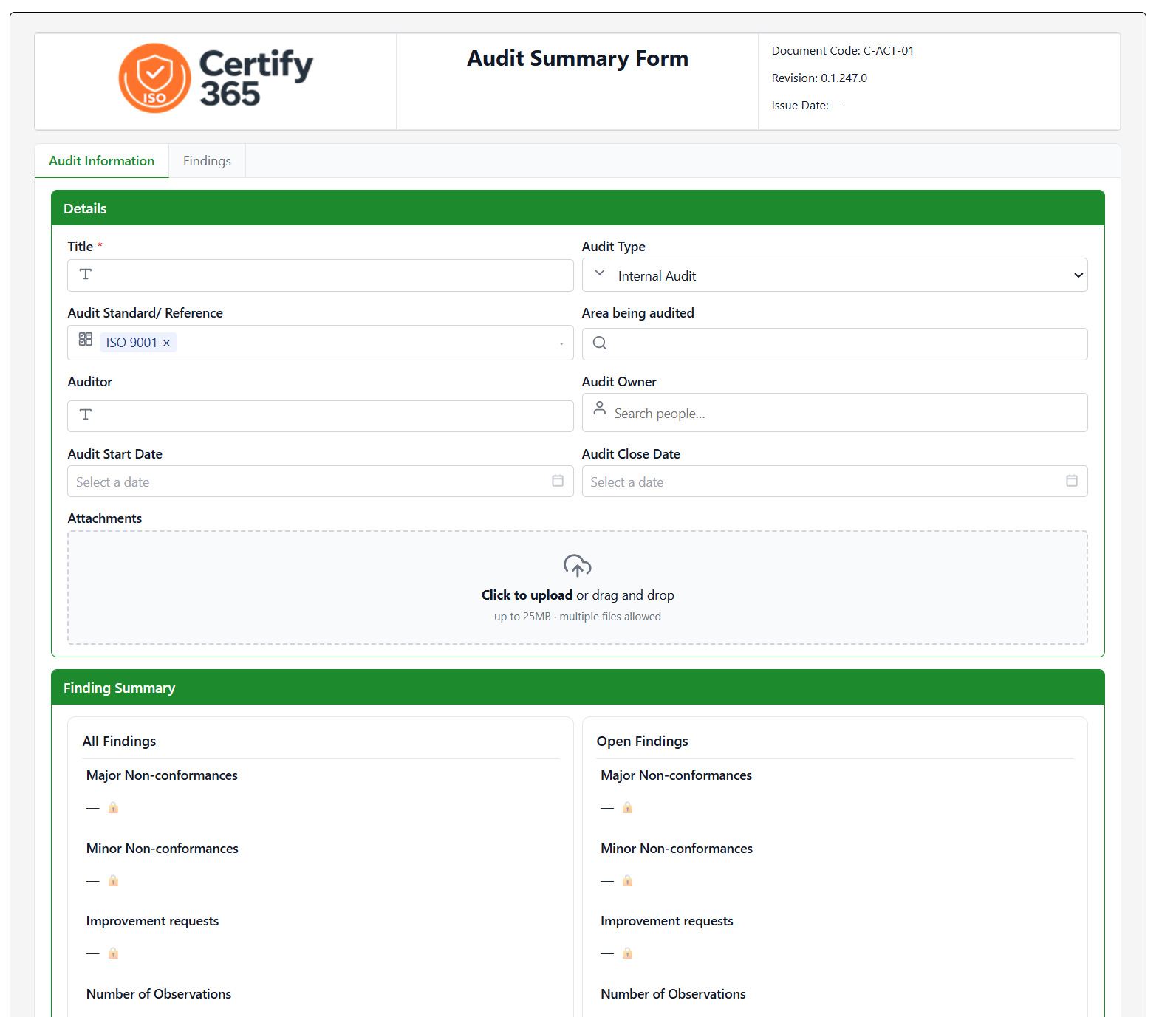
Certify audit summary form in SharePoint with audit details, an ISO standard tag and a findings summary
Forms365 Workspace

Audit summary

Records an internal or external audit, the standard it was against, and a running count of findings.

What's in it

  • Standard picked from a managed list (ISO 9001)
  • Lookup for the area being audited
  • Drag-and-drop file attachments
  • Read-only counts of open and total findings
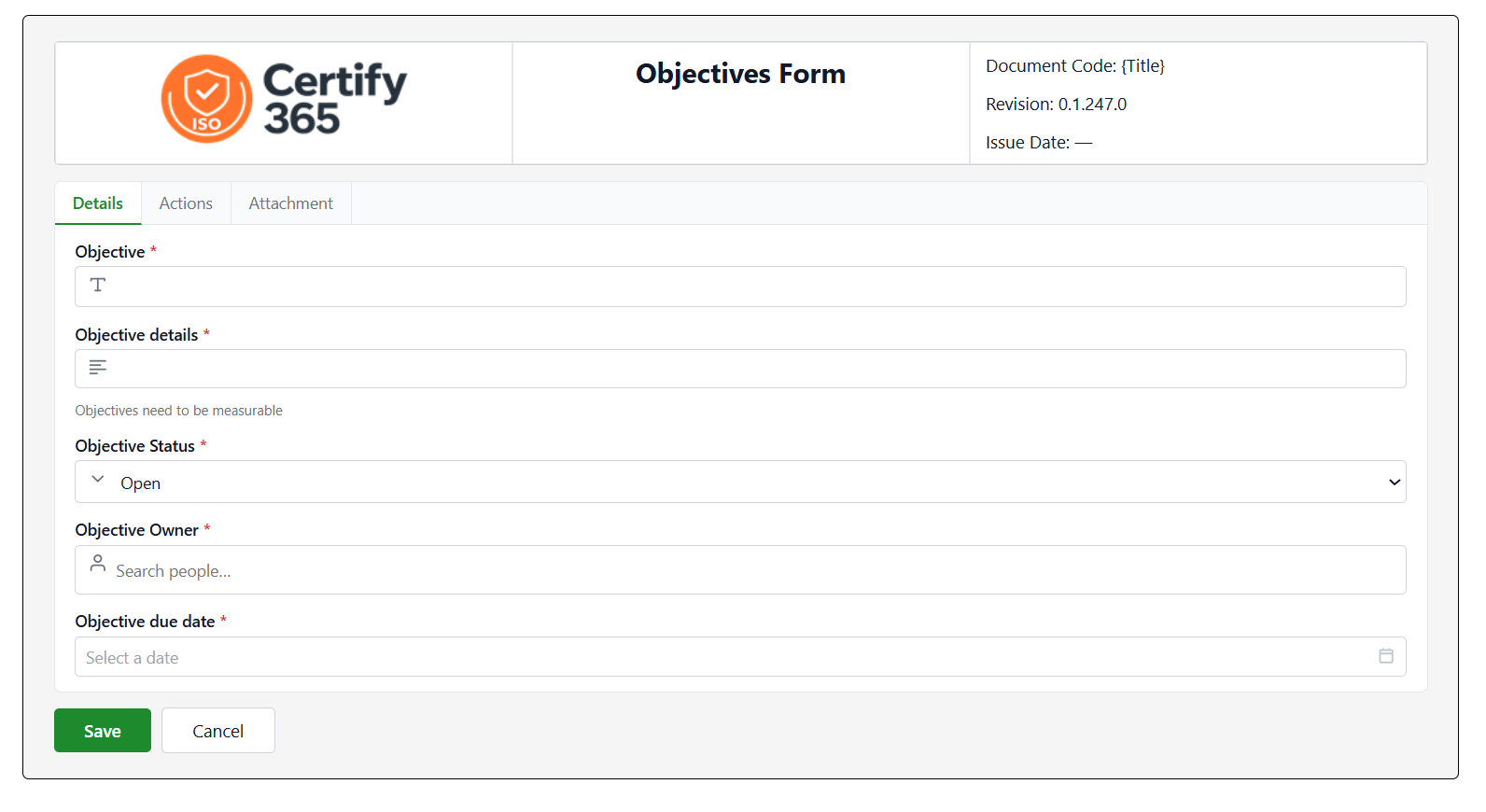
Certify objectives form in SharePoint with required fields, help text and an Actions tab
Forms365 Workspace

Objectives tracker

A short, focused form: what the objective is, who owns it and when it is due, with actions on their own tab.

What's in it

  • Required fields marked clearly
  • Help text under the field ("Objectives need to be measurable")
  • Actions tab for the follow-up work
  • Owner chosen with a people picker
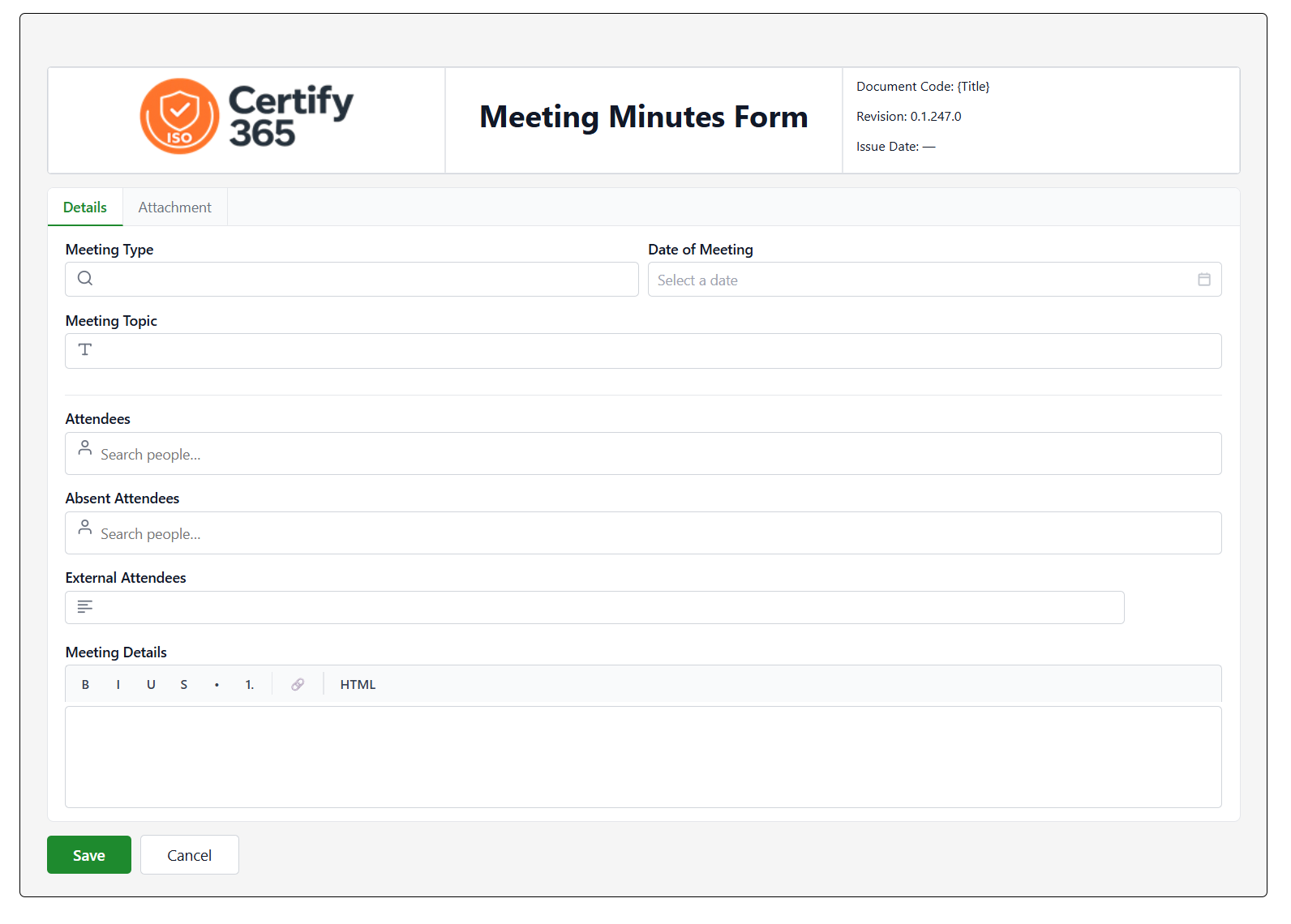
Certify meeting minutes form in SharePoint with people pickers for attendees and a rich text editor
Forms365 Workspace

Meeting minutes

Who came, who did not, and what was discussed, saved as a record you can find again at audit time.

What's in it

  • People pickers for attendees and apologies
  • Free text for external guests
  • Rich text editor for the minutes
  • Two-column layout for type and date
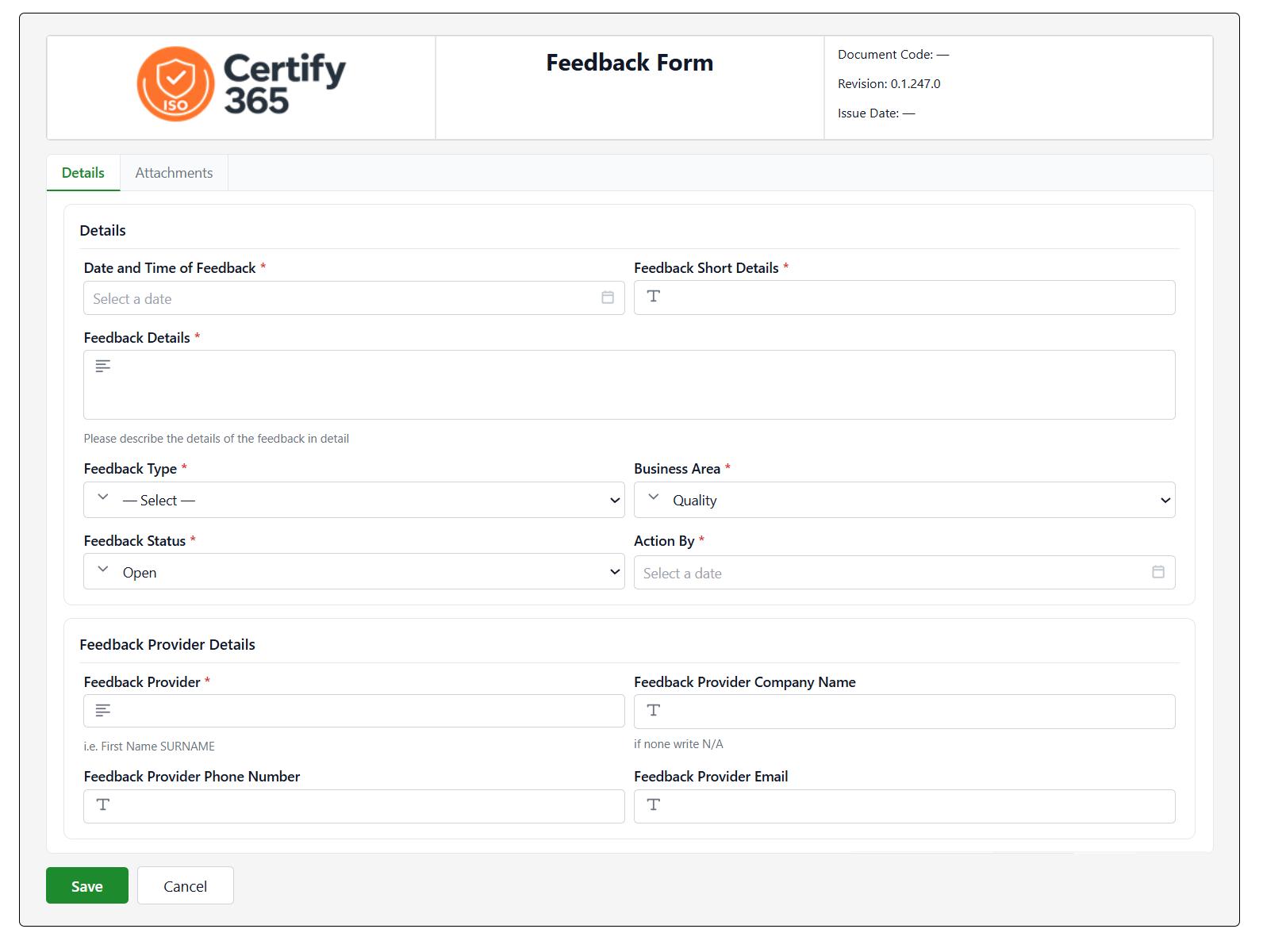
Certify feedback form in SharePoint grouped into sections with help text and status fields
Forms365 Workspace

Customer feedback

Logs feedback or a complaint, who it came from, which part of the business it affects and when it needs action.

What's in it

  • Grouped into clear sections
  • Date and time picker
  • Status and action-by date for follow-up
  • Example text under fields ("if none write N/A")
Build once, reuse

Turn your best forms into templates

Once a form works well, Forms365 Workspace can package it as a template, or a set of related forms as a suite, and install it on another site or tenant. Linked lists and lookups are reconnected for you on install.

That is how a form one team builds ends up being used across the whole organisation. How templates and suites work.

Want a form like one of these?

Start a free trial and build it on your own list, or tell us what you need and we will point you in the right direction.

Your own forms could look like this.

14-day free trial, full access, no credit card.