
Build a public form.
Save it straight to SharePoint.
Drag fields onto a canvas and publish to a public URL. Every response lands in your own SharePoint list as a real list item, with conditional logic, invitations and a PDF for every entry.
- No Microsoft login needed
- Saves to SharePoint
- Webhooks + REST API
- 14-day free trial
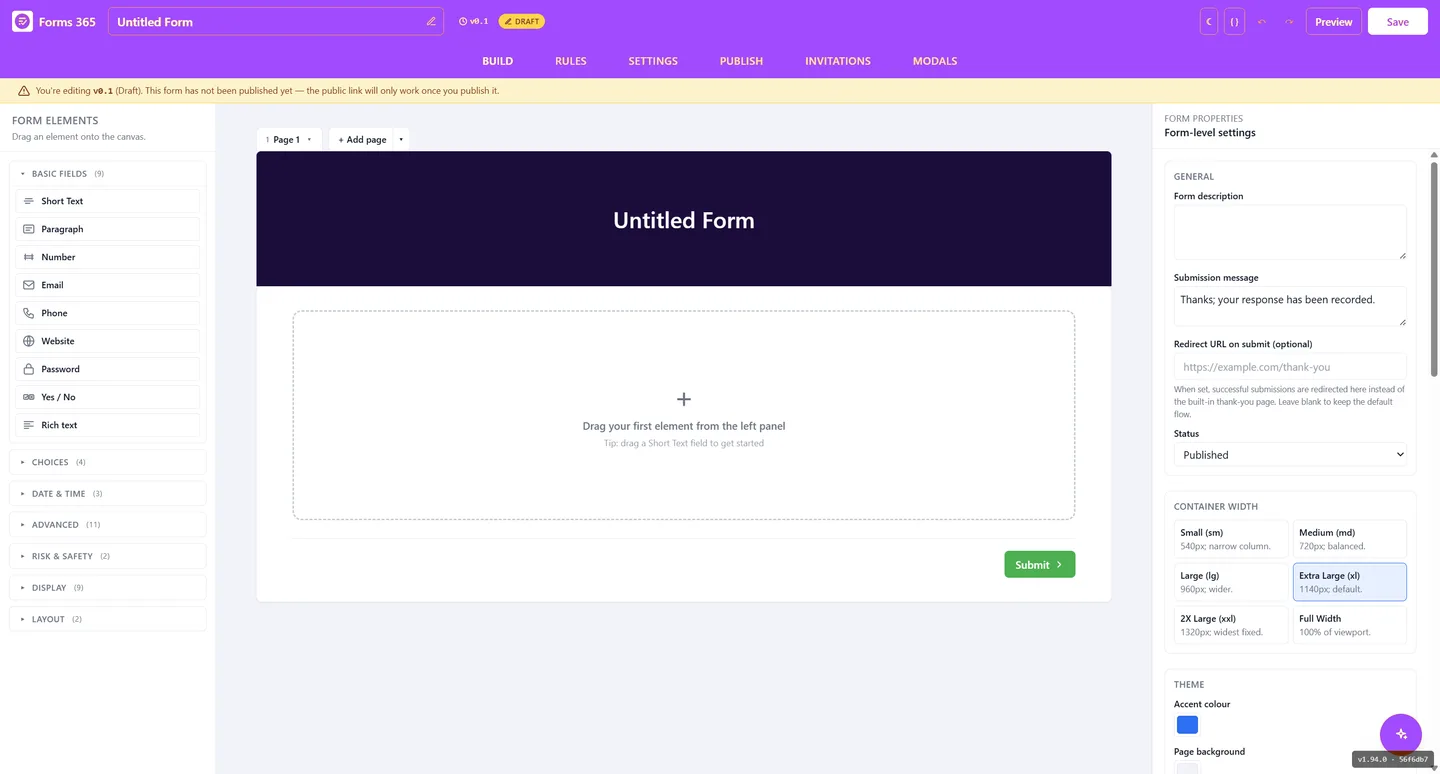
SharePoint forms require a Microsoft account. Customers and contractors do not have one.
Public form tools like Typeform do not save to SharePoint. You are copy-pasting responses.
Power Apps portals solve this but require premium licences and a developer to maintain.
No login required
Publish a public URL or QR code. Anyone can open it in a browser and submit. No Microsoft account, no Entra login, no IT ticket. Works for customers, contractors, job applicants, anyone.
Try it free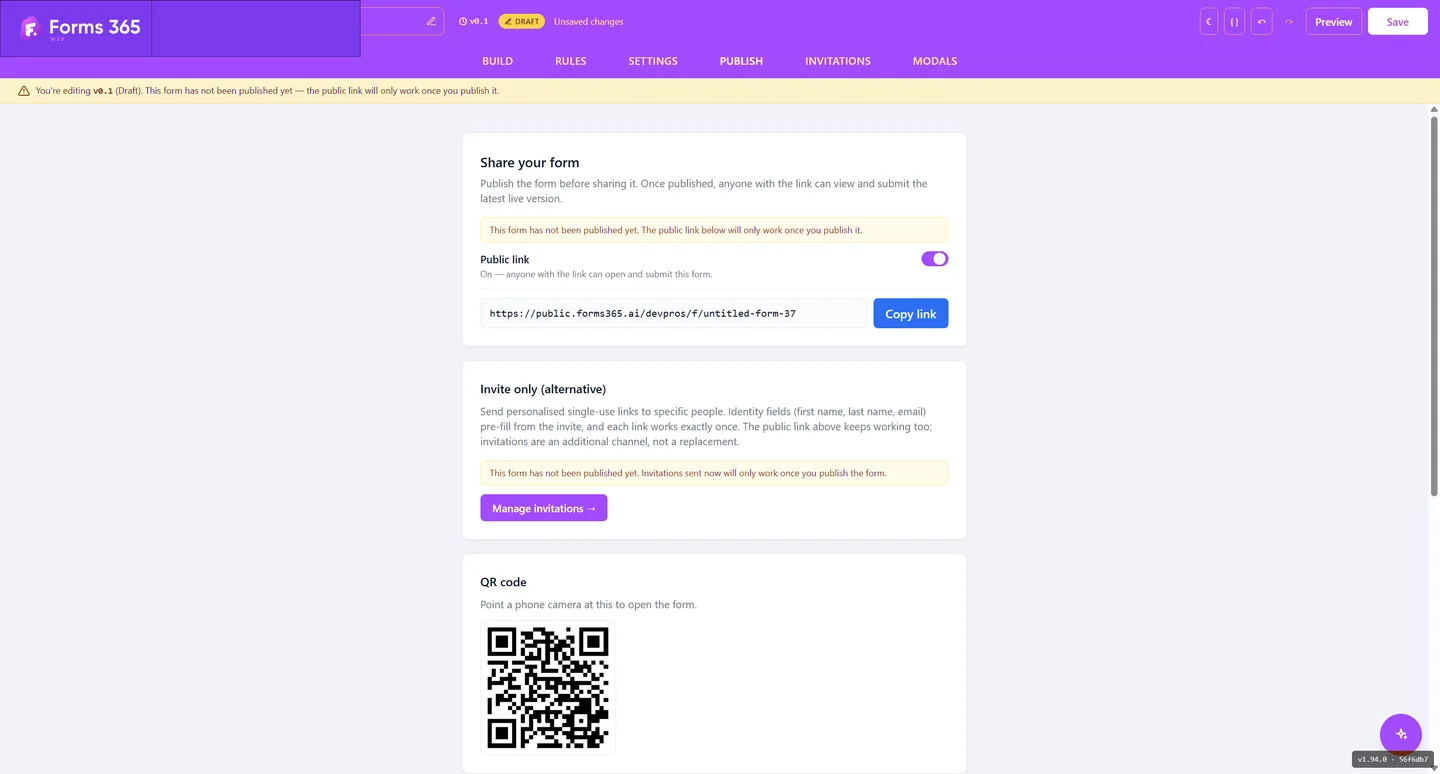
External submissions, your control
Send personalised single-use links that pre-fill the recipient's name, email, or reference number. Each link works once, for that person. No shared link that can be passed around.
Try it free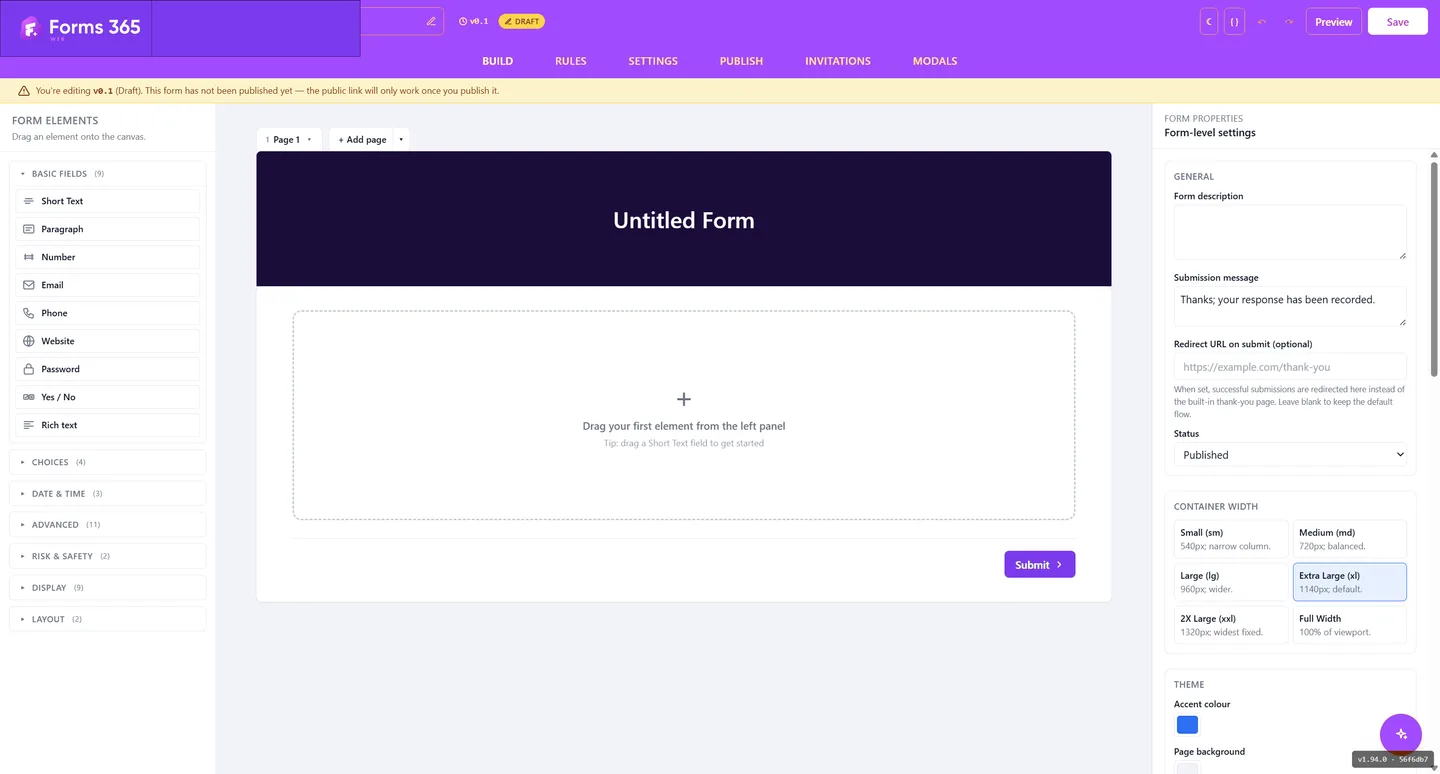
Conditional logic, no code
Show or hide sections based on previous answers. Mark fields required or optional dynamically. Calculate totals or scores on the fly. Build smart forms that guide respondents to the right questions.
Try it free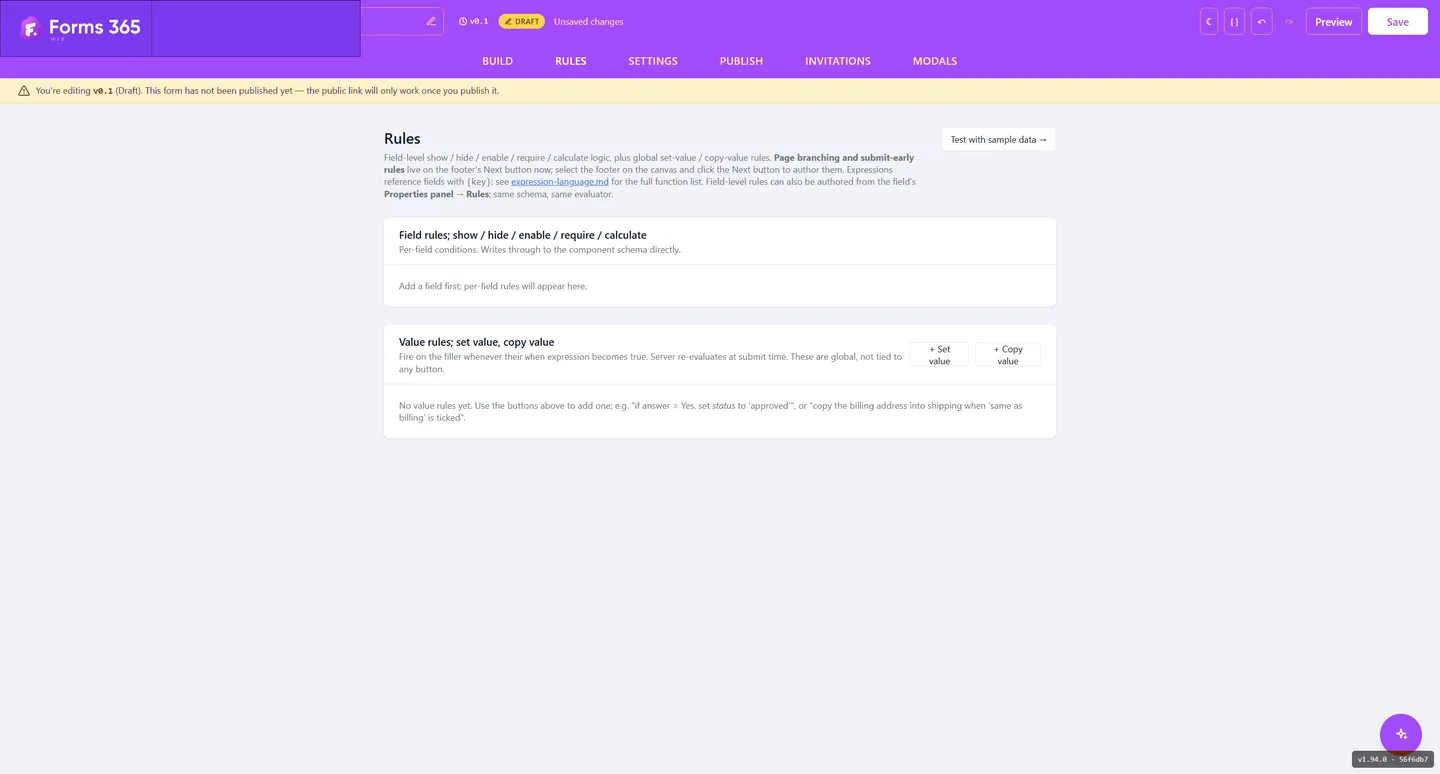
Notifications and a PDF for every entry
Automatically email a confirmation receipt to the respondent and a notification to your team on every submission. Auto-save drafts so respondents can return to long forms. Generate a designed submission PDF automatically.
Try it free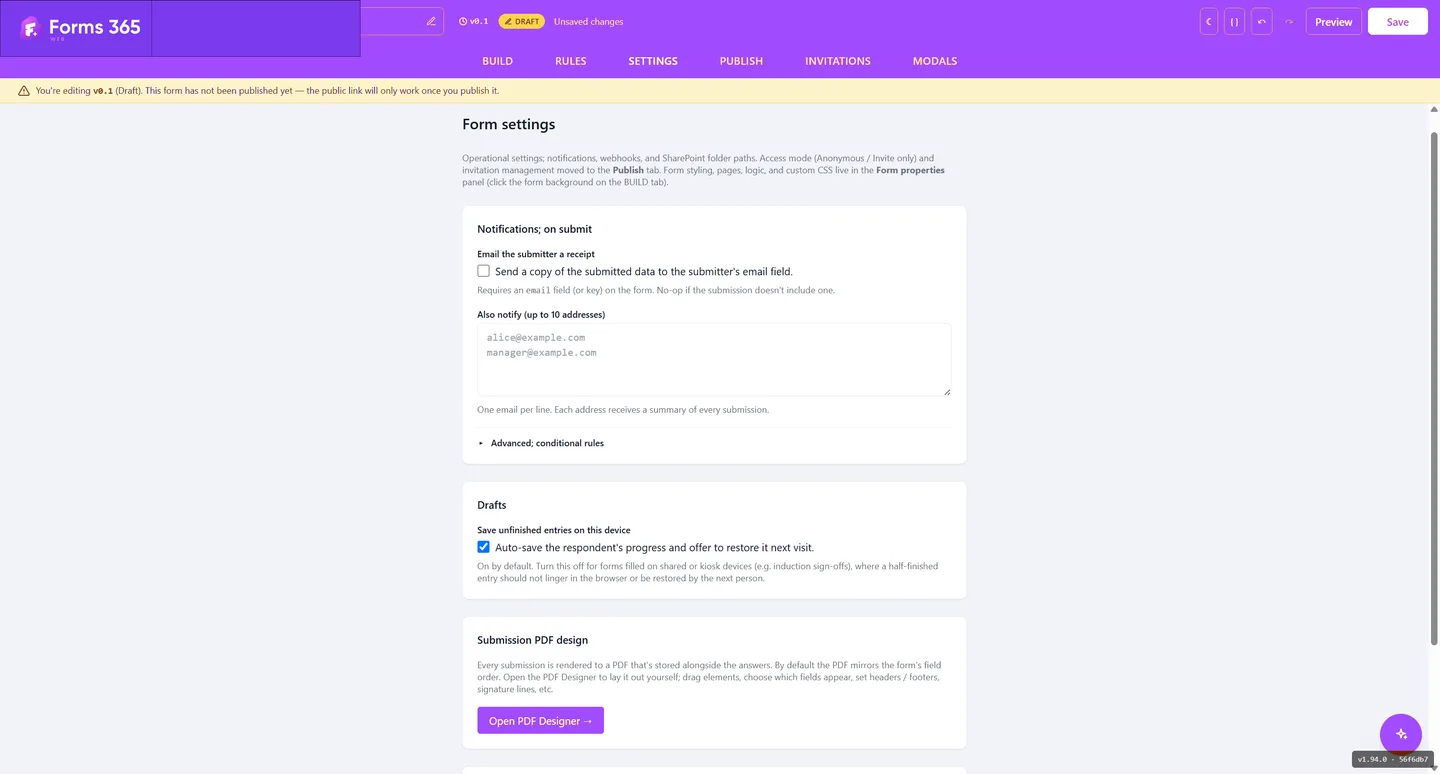
Connects to the tools you already use
Submissions save to SharePoint as list items, so any Power Automate flow with a list trigger picks them up. Beyond that there are signed webhooks and a token-authenticated REST API, which is how you reach tools like Make and Zapier.
Guides for building with Forms 365 Web
Starting from scratch is the slow part, so the builder can draft a form with AI from a prompt or an existing PDF. From there you can put your colours, logo, and fonts on it, split a long form into a multi-page wizard, and add validation rules so bad data never reaches your list.
For getting data out again, you can turn a submission into a branded PDF, send a webhook on submit, or read submissions with the REST API. Sharing a form is just a link, which also means you can put it behind a QR code for on-site capture.
If the reason you are here is the sign-in problem specifically, the fuller answer lives on SharePoint forms for external users, and the comparison of every anonymous submission route weighs this against the Microsoft-native options.
Collect from anyone.
Keep everything in SharePoint.
14-day free trial. No credit card. Data stays in your tenant.
No Microsoft login required for respondents · Power Automate, Make and Zapier · Data stays in your tenant