
We built a whole ISO compliance product on Forms365 Workspace.
Certify is our ISO compliance software. Its registers and records, from risks to meeting minutes, are SharePoint forms designed in Forms365 Workspace. Here is what we built, and which parts of the designer did the heavy lifting.
- Product
- Certify, ISO compliance software for SharePoint
- Standards
- ISO 9001, ISO 45001 and ISO 14001
- Runs in
- The customer's own Microsoft 365 and SharePoint
- Forms built with
- Forms365 Workspace
- Built by
- DevPros, the same Australian team behind Forms 365
To be upfront: Certify is our own product, so this is not an independent review. It is a real, shipping set of forms, though, and the same designer is what you get with Forms 365.
ISO lives on records, and records live in forms
ISO 9001, 45001 and 14001 all come down to the same thing at audit time: can you show consistent, complete records? Risks with owners and controls. Audits with their findings. Objectives with actions. Minutes of the meetings where decisions were made.
Certify came out of DevPros' consulting work, where we built these forms in SharePoint for client after client. Doing them with the default SharePoint form meant one long column with no tabs, no ratings and nowhere to put related actions. Building each one as a Power App would have meant a pile of apps for every customer to look after.
So we built them in Forms365 Workspace instead. The data stays in ordinary SharePoint lists inside the customer's own Microsoft 365, and the forms on top are designed, not coded.
Four of the forms, up close
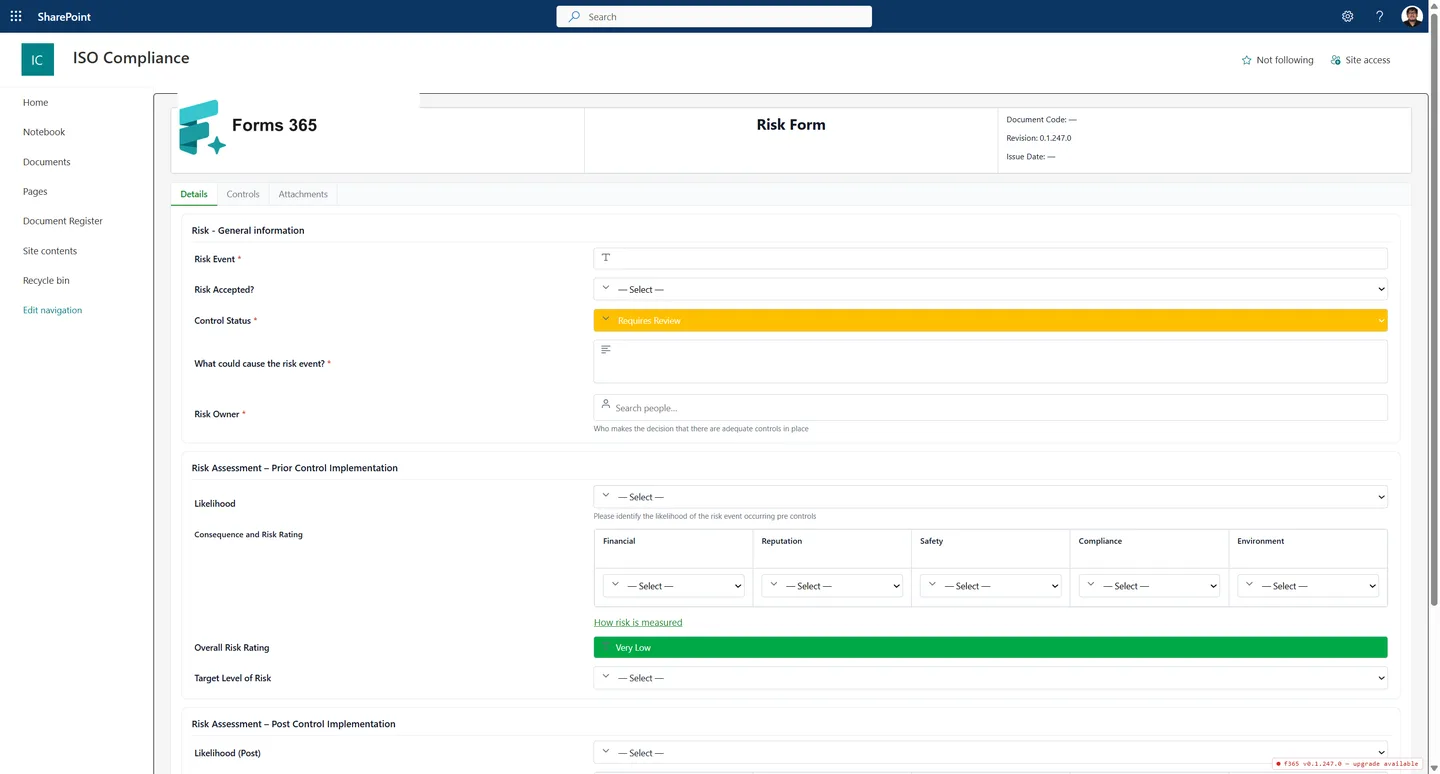
All screenshots are taken in SharePoint. The risk form comes from our own test site, so it shows the Forms 365 logo where Certify customers see theirs.
The risk form
A risk gets rated twice, before and after controls, with consequence scored separately for financial, reputation, safety, compliance and environment impact. The overall rating and the control status change colour so a reviewer can read the register at a glance. The controls for each risk sit on their own tab as linked rows.
The audit summary
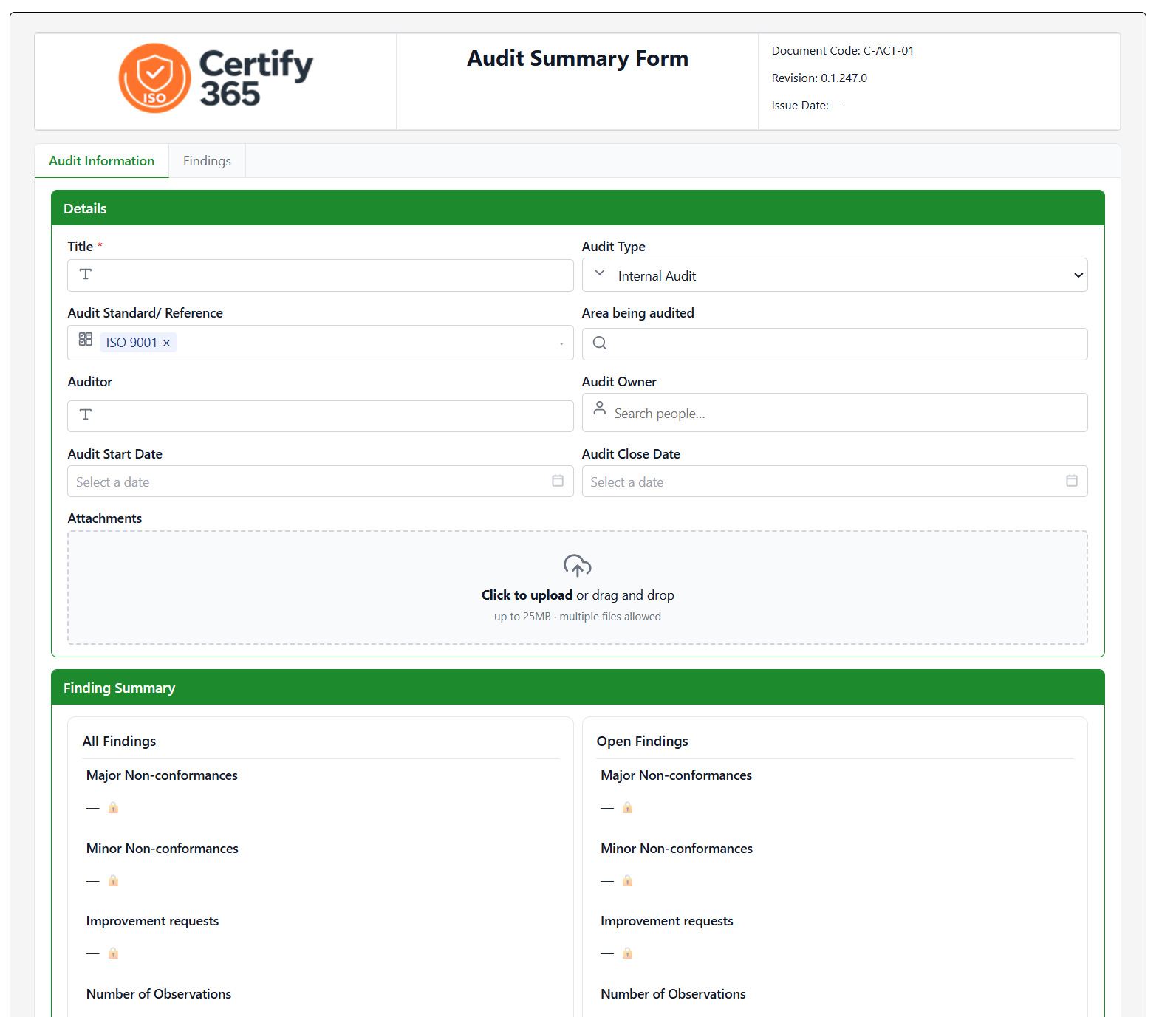
The standard is picked from a managed term set (ISO 9001 in this one), the audited area from a lookup, and the audit owner from a people picker. Evidence files are dragged straight onto the form. Underneath, a findings summary shows major and minor non-conformances, improvement requests and observations as locked, read-only figures.
The objectives form
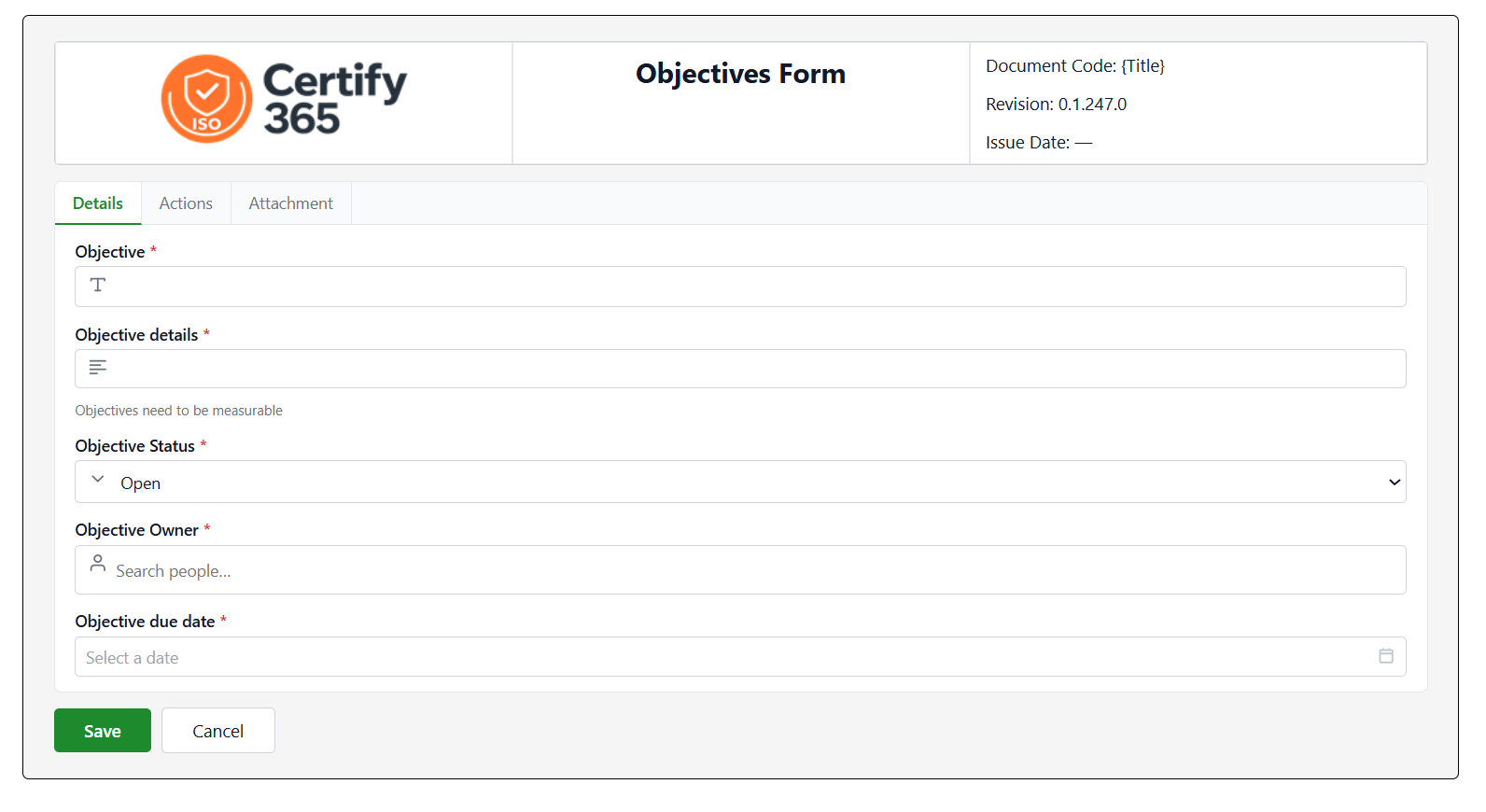
Short on purpose. Five required fields, a hint reminding people that objectives need to be measurable, and the actions that deliver it on their own tab. A form people will actually keep up to date.
Meeting minutes
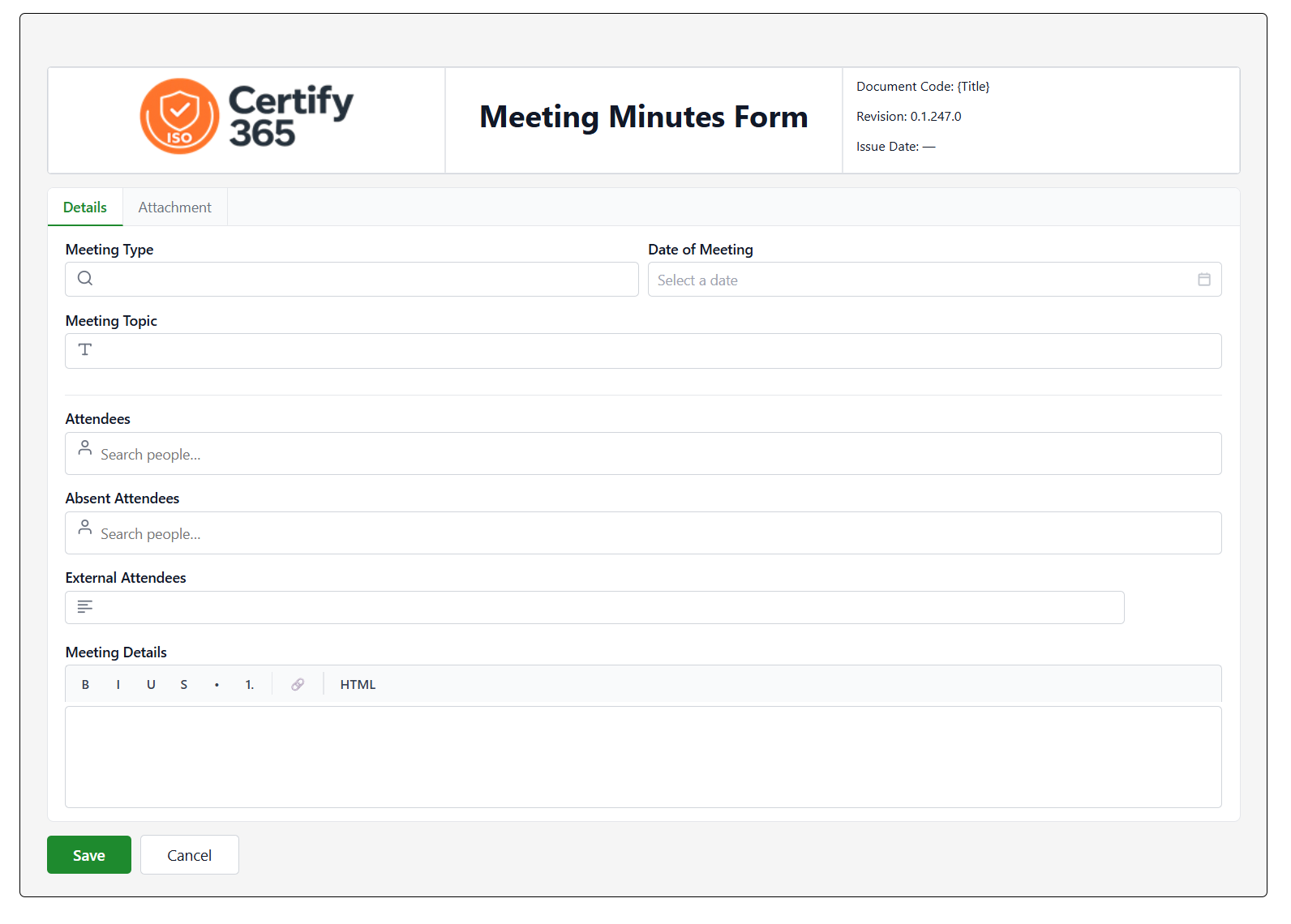
Attendees and apologies come from people pickers, guests from outside the organisation go in a text box, and the minutes are written in a rich text editor. The result is a searchable record of meetings like management reviews, sitting in a SharePoint list.
The Workspace features Certify leans on
All of these are standard parts of the Forms365 Workspace designer, available to anyone building a form.
Tabs
Details, controls, actions and attachments each get their own tab, so long records stay readable.
Linked lists
A risk's controls are rows saved to their own linked list, not text crammed into one column.
People pickers
Owners, auditors and meeting attendees are real Microsoft 365 people, not typed names.
Managed metadata and lookups
The audit standard comes from a managed term set, and the audited area from a lookup.
Colour and read-only fields
Ratings and statuses are colour-coded, and summary figures are locked so nobody edits them by hand.
Layout and help text
Two-column sections, headings and short hints under fields, so people fill it in right the first time.
Attachments
Evidence files are dragged straight onto the form and stored with the item.
Rich text
Meeting minutes are written in a proper editor with lists and formatting.
Forms capture the record. Certify adds the compliance process.
It is worth being clear about who does what. Forms 365 is the form layer: it gets clean, complete records into SharePoint lists. Certify adds the ISO side on top, including its form library mapped to the standards, and its own approvals, reminders, escalation and dashboards.
So if you want the forms, Forms365 Workspace gives you the same designer Certify was built with. If you want the whole ISO system ready to go, that is what Certify is for.
Build your own registers on the same designer.
14-day free trial of Forms365 Workspace. No credit card.